Short videos
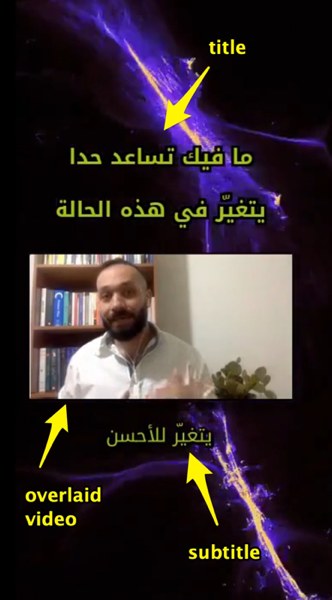
Short videos are videos that are less than 1 minute, the final result of such videos contain an animated background with a main title, subtitles and an overlaid video for me talking.
Because of the short attention span for many viewers, this type of content can be consumed more than the longer content, and these are the suggested steps to generate such videos.
and here's an example for the final result:
Steps to generate the video
These are some suggested steps to generate a short video:
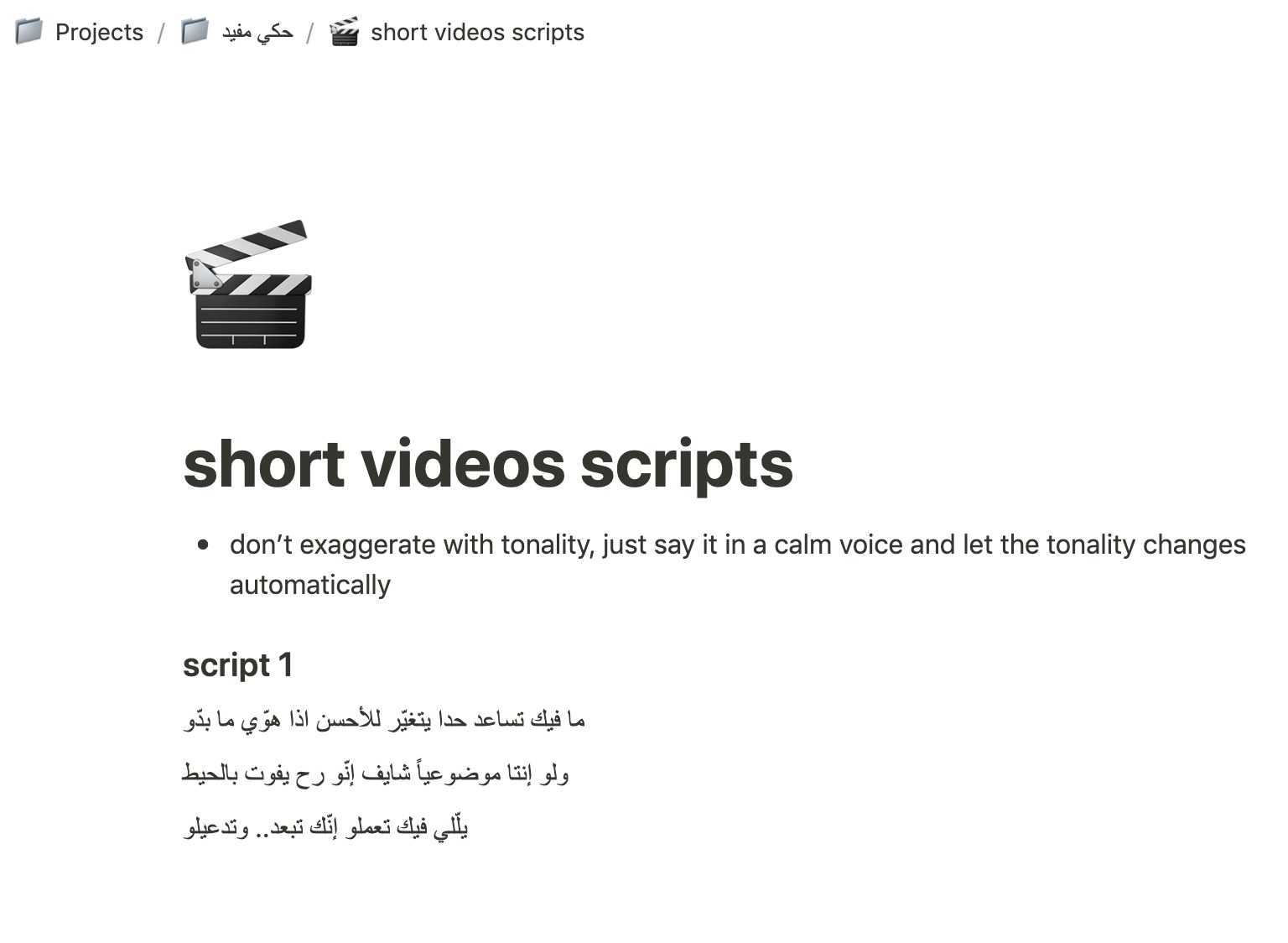
- Start with writing the script: this should be around a line or two (since the whole video is less than a minute), this can be a short advice or something like that, and when writing it do not start with "hello everyone, this is Hassan Kanj,.." but rather jump straight to the point.. each second counts in the short videos.
you can save the changes to Notion, I've already made a page just for that:
Record yourself saying the script: place the laptop in the recording room in front of the bookshelves, and on top of the 3D printing filament rolls and use the external microphone, and most importantly use QuickTime to record the video from the webcam, since using OBS for recording may cause some freezing for the picture.
And after doing that save the video and convert it to mp4 using handbrake.Edit the webcam video in iMovie: edit the video and add background music (without fading out, since this will be done by video-automator app), use this music "Nocturne in E flat major, Op. 9 no. 2.mp3" and set its volume to 10%, then export the video.
explain here how to add subtitles using Aegisub (using webcam video as a demo, and using the 'custom title' <- that uses droid kufi font, etc..) [also add screenshots]